Image Eye v.9.3
The lean, mean and clean image viewer
DOWNLOAD Get the FREE software!
Runs under: Windows 11 / 10 / 8 / 7 / Vista.
Translations of the user interface are included for the following languages:


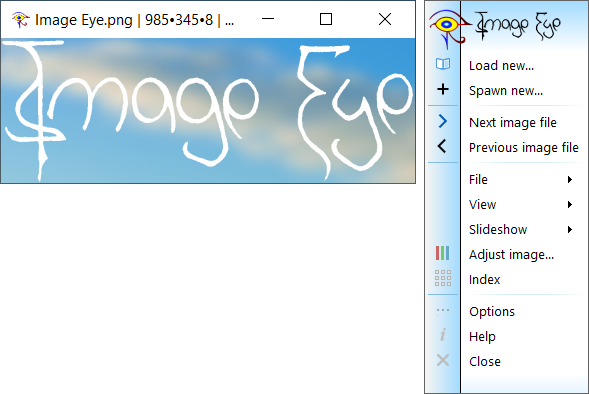
Image Eye is a specialized image viewer — made for the sole purpose of viewing images as quickly and practically as possible — nothing else! You get a window with the picture only — no bulky menus, tool-bars or other fancy but annoying clutter. By default, even the window title-bar is hidden when you don't need it, leaving just a thin black border around the image. There's also many handy and practical user interface tricks (e.g. hit Ctrl–Alt–X to close all image windows).
This software is freeware - there's no advertising, no trial period, no reg-codes, no crippled features. However, if you use and like it, please consider making a donation here — both as a "thank you" and to support its continued development.
Read what some of our users are saying about Image Eye
Feature highlights:
- The only image viewer you need for viewing & browsing images.
- Clean with no unnecessary menus and toolbars wasting desktop space.
- Uncompromising image quality.
- Small and very fast, highly tuned code.
- Reads all common image file formats.
- Image index feature with very fast thumbnail-icon creation.
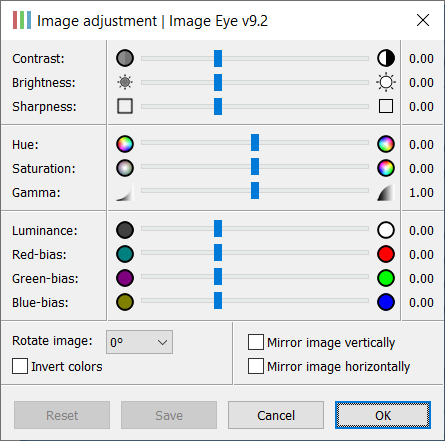
- Rotate, mirror, zoom, pan, adjust contrast, brightness, sharpness, hue, saturation, gamma, …
- Adjustments can be saved non-destructively and re-applied the next time you open it.
- It does not attempt to be a half-baked editor, format converter, or media player.
- It does include a simple slide show scripting language.
- Translated to several languages.
- Freeware.
Feature-list for the tech-nerds:
- Deep color & HDR support: Specialized code paths for grayscale and color data, with 8- or 16-bit integer, or 32-bit floating point / color component - maintaining full precision for all image processing operations.
- High quality dithering: Floyd-Steinberg dithering is used for superior perceived image quality when displaying high bit-depth images.
- Asynchronous file I/O: Images are decompressed at the same time as data is being read - i.e. it doesn't wait for file reads to finish before starting to decode.
- Speculative decoding & caching of images: While you view a file, the next file in the folder is invisibly being decoded, so that it can be brought up very quickly. When you move to a new image, the old one is cached, so that there's little delay if you toggle back and forth between images.
- Data parallelism exploitation: Many heavy computational tasks are considerably sped up by using SEE instructions. These SIMD instructions work on 4, 8 or even 16 numbers in parallel.
- Task parallelism exploitation: Heavy computational work is considerably sped up by dividing bigger jobs into smaller tasks that are distributed on multiple CPU cores. Work stealing and dynamic load balancing techniques ensure that all cores are busy.
- Hand tuned code optimizations: Critical sections are optimized by hand.
- Code branching: Common cases are handled using specialized code that is faster than generic routines.
- High quality resampling: All resampling (image resizing) is done using Catmull-Rom interpolation.
- Text metadata handling: Text info tags can be read from several formats - Adobe XMP, IPTC IMM, EXIF, PNG, TIFF tags, PSD, GIF and JPEG comments.
- Native code: x64 (64-bit), x86 (32-bit) and Arm64 (64-bit) versions are available.
See a list of additional features…